How to Stop Drowning in Too Much Content
You can't read faster than the internet publishes. Here's how to cut your inputs, filter what's left and spend your attention on content that matters.

Updated
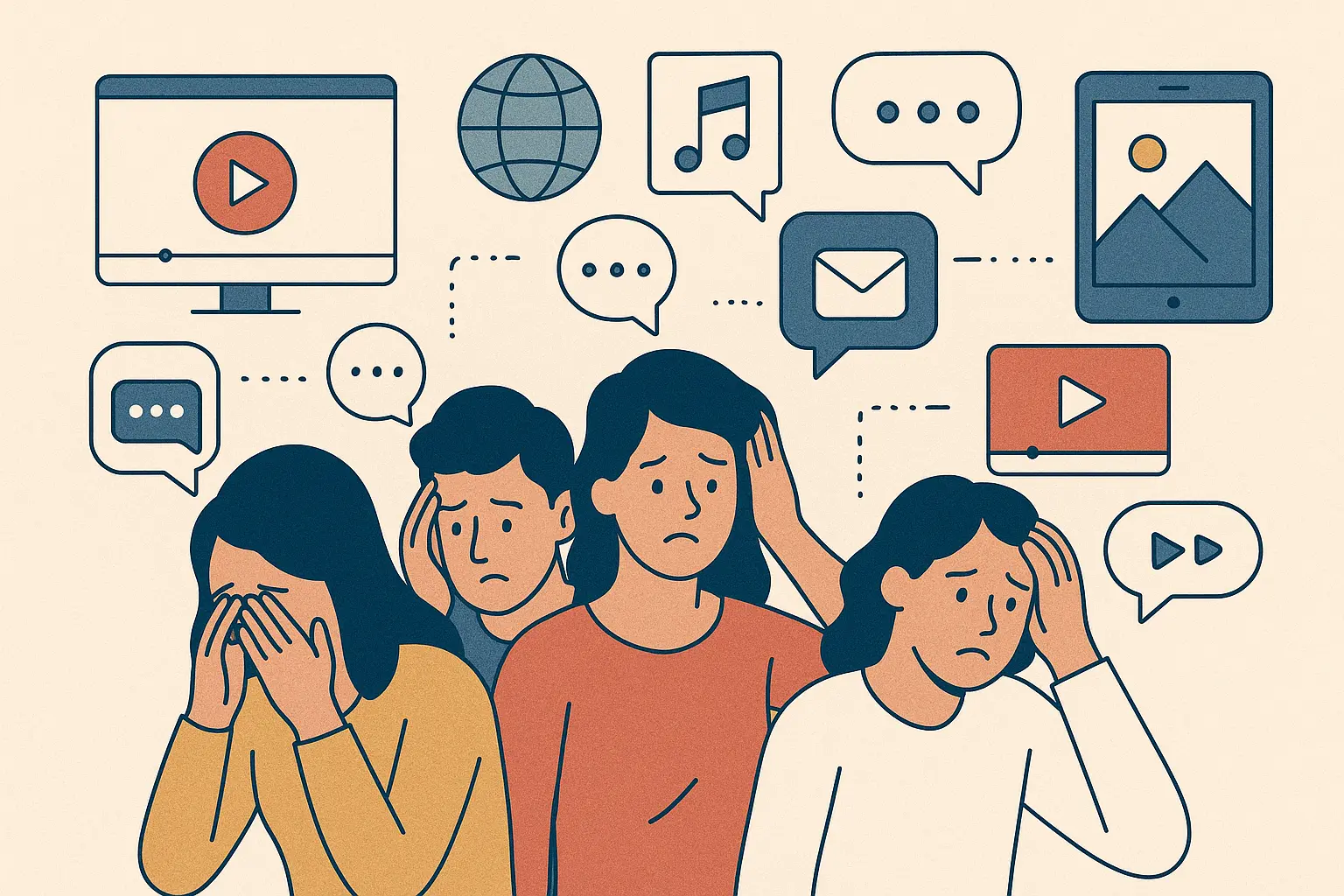
When there’s too much content to keep up with, the fix isn’t reading faster. It’s reducing what comes in and being deliberate about the rest. In practice that means four things: cut the sources you don’t need, replace endless feeds with sources you chose, consume in set blocks of time instead of all day, and triage (skim or summarize) before you commit to anything long.
Below are practical ways to do each, plus a simple test for deciding what’s worth your attention.
Signs You’re Consuming Too Much Content
Information overload, sometimes called content fatigue, usually shows up as:
- reading, watching or listening for hours but remembering little of it
- a growing pile of saved articles, open tabs and “watch later” videos that makes you feel guilty
- picking up your phone without deciding to, then scrolling past things you don’t care about
- feeling anxious or drained after catching up on news or social media
- finding it harder to focus on one long piece of work or reading
Psychologists writing for the American Psychological Association have described the strain that constant exposure to news and media can put on mental health. If several of these signs sound familiar, it’s worth changing how content reaches you, not just trying harder to keep up.
How to Reduce the Content You Consume
1. Audit Your Inputs for a Week
Make a list of everything that sends you content: newsletters, social accounts, YouTube subscriptions, podcasts, news apps, group chats, Slack channels. For each, ask: Did I act on, learn from or genuinely enjoy anything from this source in the last month? Mark each one keep, cut or batch (keep, but only check at set times). You’ll probably find several you can drop.
2. Unsubscribe and Unfollow Without Guilt
Once you know what to cut, cut it:
- Email: unsubscribe from newsletters you skip. In Gmail on a computer, More → Manage subscriptions lists senders you get regular email from, with an unsubscribe button next to each (Google is still rolling this out, so you may not see it yet).
- Social media: unfollow or mute accounts that leave you annoyed or that you scroll past.
- YouTube and podcasts: unsubscribe from channels and shows you haven’t watched or listened to in months.
A useful rule from then on: one in, one out. Add a new source only if you drop one.
3. Swap Algorithmic Feeds for Sources You Chose
Social and video feeds are designed to keep serving you more. An RSS reader works the other way round: you subscribe to the specific blogs and sites you want, and it shows only new posts from those sources, in one list, without recommendations. You scan the headlines and open only what’s relevant.
Feedly’s News Reader and Inoreader are two well-known RSS readers (Inoreader can also follow newsletters and podcasts). Even a short, well-chosen list of sources gives you more signal than hours of scrolling.
For a short learning session, these alternatives to mindless scrolling pair each app with a task you can finish. Choose the task before opening another recommendation feed.
4. Turn Off Notifications and Set App Limits
Every notification is an invitation to consume something you didn’t plan to. Turn off all non-essential ones, especially from social, news and video apps. Then use your phone’s built-in limits:
- iPhone: Settings → Screen Time → App Limits lets you cap daily time on categories (such as social media) or individual apps.
- Android: Digital Wellbeing lets you set app timers, and Focus mode pauses distracting apps on a schedule.
- YouTube: the “Remind me to take a break” setting prompts you to stop after a set time.
5. Batch Your Consumption
Instead of checking email, news and feeds all day, set one or two fixed times for them, for example 20 minutes after lunch and 20 minutes at the end of the day. Outside those blocks, leave them closed. Batching turns content from a constant background stream into something you choose to sit down with.
6. Decide Why You’re Reading Before You Start
Before opening a long article, video or report, decide what you want from it: an answer to a question, a decision, a skill. Then stay on that topic. Related links and “you might also like” suggestions are where an hour disappears.
It also helps your memory. In a UCLA study, dividing attention reduced how much people remembered overall, but they still recalled the information they’d been told was most important. Knowing what matters before you start makes it more likely to stick.
7. Finish One Thing Before Starting the Next
Jumping between half-read articles, videos and threads feels productive but leaves you with fragments. Each switch means re-orienting to a new topic. Finish the piece you’ve started, or consciously close it, before opening the next one.
8. Save for Later, with an Expiry Date
When something interesting comes up mid-task, save it rather than opening it. Your browser’s bookmarks or reading list work fine, or you can use a read-later app such as Instapaper or Readwise Reader. (Pocket, once the best-known option, was shut down by Mozilla in 2025.)
The catch: a read-later list easily becomes another pile of guilt. Review it weekly and delete anything older than a couple of weeks that you still haven’t opened. If it mattered, it’ll come up again.
9. Skim and Triage Before Committing
Not everything deserves a full read. Read the headline, introduction, subheadings and conclusion first. For videos and podcasts, check the description, chapters or transcript. Then decide: read it properly, skim the useful section, save it, or close it. Plenty of content can be dealt with in a couple of minutes.
10. Use Summaries to Decide What Deserves Your Time
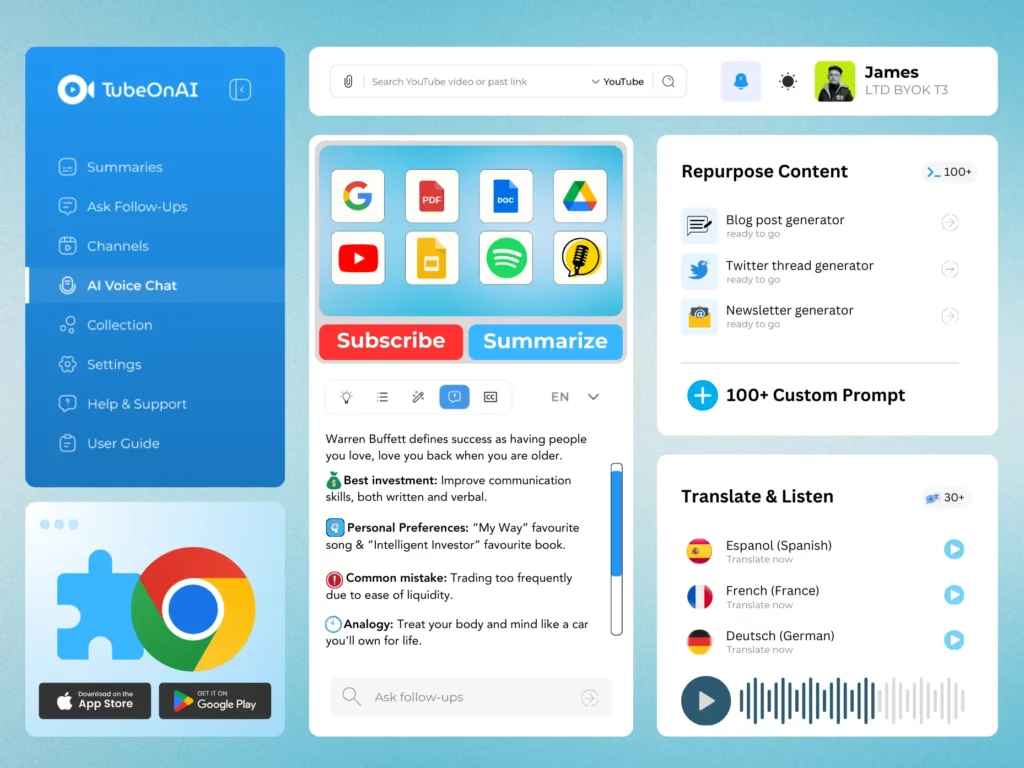
AI summaries are useful for triage, especially for long videos and podcasts that can’t be skimmed like an article. TubeOnAI, for example, summarizes YouTube videos, podcasts, web articles and PDFs, so you can see the main points in a few minutes and decide whether the full piece is worth an hour. You can ask follow-up questions about a summary, translate it, or listen to it as audio.
If you follow a lot of YouTube channels, TubeOnAI’s channel subscriptions automatically summarize new videos from the channels you choose, so you can scan one list instead of keeping up with every upload.
Be honest about the limits: a summary tells you what something says, not everything it says. For content you need to learn deeply or rely on for a decision, use the summary to find the right sections, then go to the source.
Also read:
11. Write Down What You Keep
Consuming less works better when you keep what matters from what you do consume. When something is worth remembering, write a sentence or two in your own words in a notes app, document or spreadsheet, with a link to the source. You’ll remember more, and you won’t feel you need to re-read it later.
How to Decide Which Content Is Worth Your Time
With fewer inputs, the next step is choosing well among what’s left.
1. Define Your Goal
Be clear about what you’re trying to learn or achieve right now, professionally and personally. When you catch yourself drifting into content that doesn’t serve it, that’s your cue to stop. (Content purely for enjoyment is fine too; just choose it on purpose.)
2. Curate Your Sources
Follow sources that consistently give you useful, accurate information, and drop those that rely on clickbait or repeat what others said. An RSS reader such as Feedly or Inoreader keeps your chosen sources in one place.
3. Check Before You Commit
For articles and reports, read the headline and summary to see whether it answers your question. For video and audio, check the description, chapters or a summary first. Only commit to the full piece if it meets your need.
4. Review and Adjust Regularly
Every month or so, look at what you’ve been consuming and whether it’s helped. Drop sources that haven’t earned their place and adjust your limits as your goals change.
Frequently Asked Questions
How do I reduce the amount of content I consume?
Start by listing every source that sends you content, then unsubscribe from or unfollow anything you haven’t benefited from recently. Turn off non-essential notifications, set app limits, and check email, news and feeds at fixed times rather than all day.
How do you deal with too much information?
Filter before you read: decide what you need, skim or summarize to see whether a piece is relevant, and save the rest for a set reading time. Keep a short, chosen list of sources rather than relying on algorithmic feeds.
Is too much content a bad thing?
Not in itself. There’s more good content available than ever. It becomes a problem when the volume crowds out focus, rest and the things you actually want to do, or when you consume a lot but retain little.
What happens when you consume too much content?
People commonly describe information overload as stress, fatigue, difficulty concentrating and trouble making decisions. Reducing inputs, taking regular breaks from screens, and being selective about what you consume usually helps.
Conclusion
You don’t need to keep up with everything; nobody can. Cut the sources that don’t serve you, replace feeds with sources you chose, consume in set blocks of time, and use skimming and summaries to triage the rest. Less content, chosen deliberately, leaves you with more attention for what matters.