PPT to Flashcards Converter changes PowerPoint slides into flashcards. It helps you study and remember the main ideas in a simple, easy-to-use format.
The smartest PPT to Flashcards generator online. TubeOnAI’s AI analyzes your PowerPoint presentations, extracts essential information, and generates interactive flashcards automatically. Save hours of manual work while creating better study materials for exams, training, or knowledge retention.

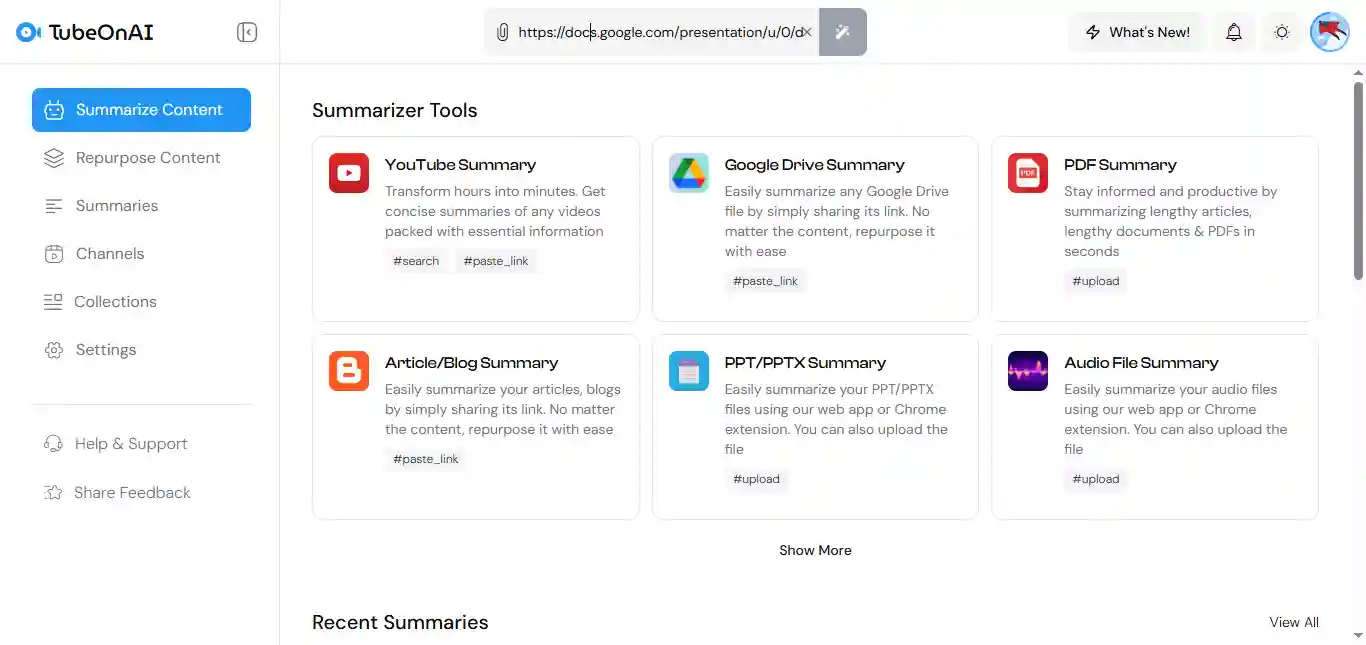
Paste the link of any Google Slides which is publicly accessible or you can upload the PPT file directly.
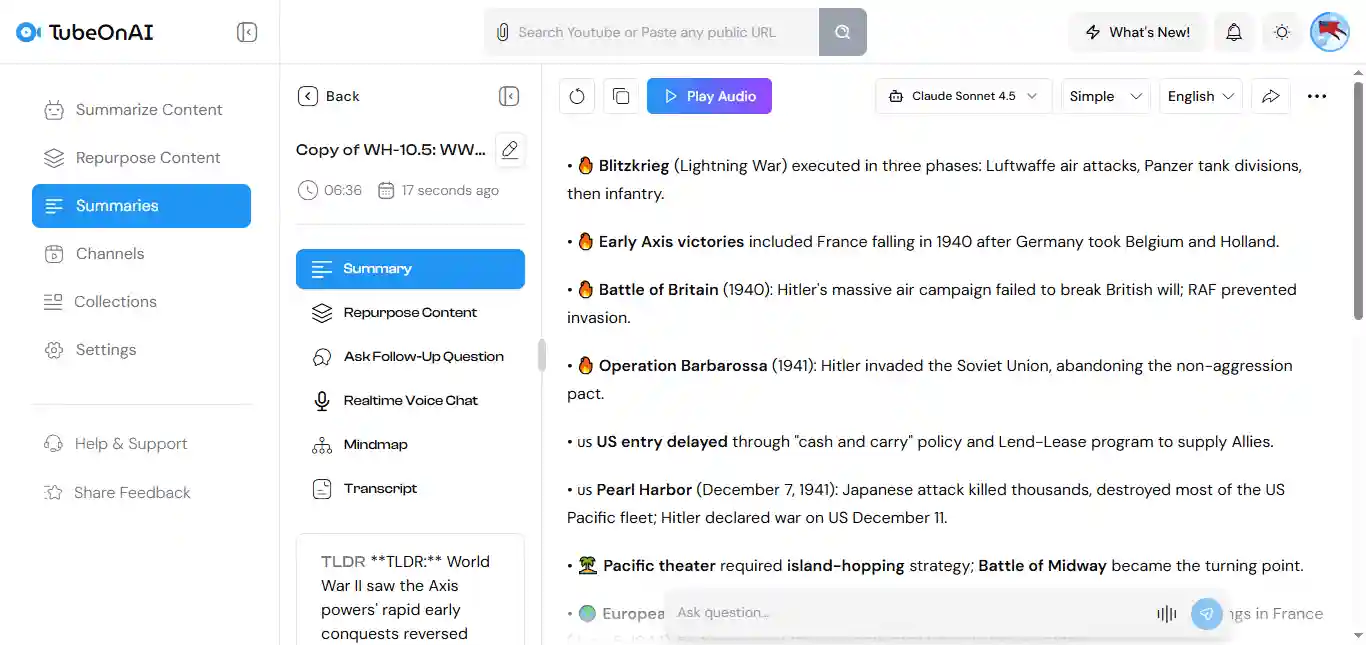
Our advanced AI analyzes the PPT file, summarizes the entire presentation in an organized format.
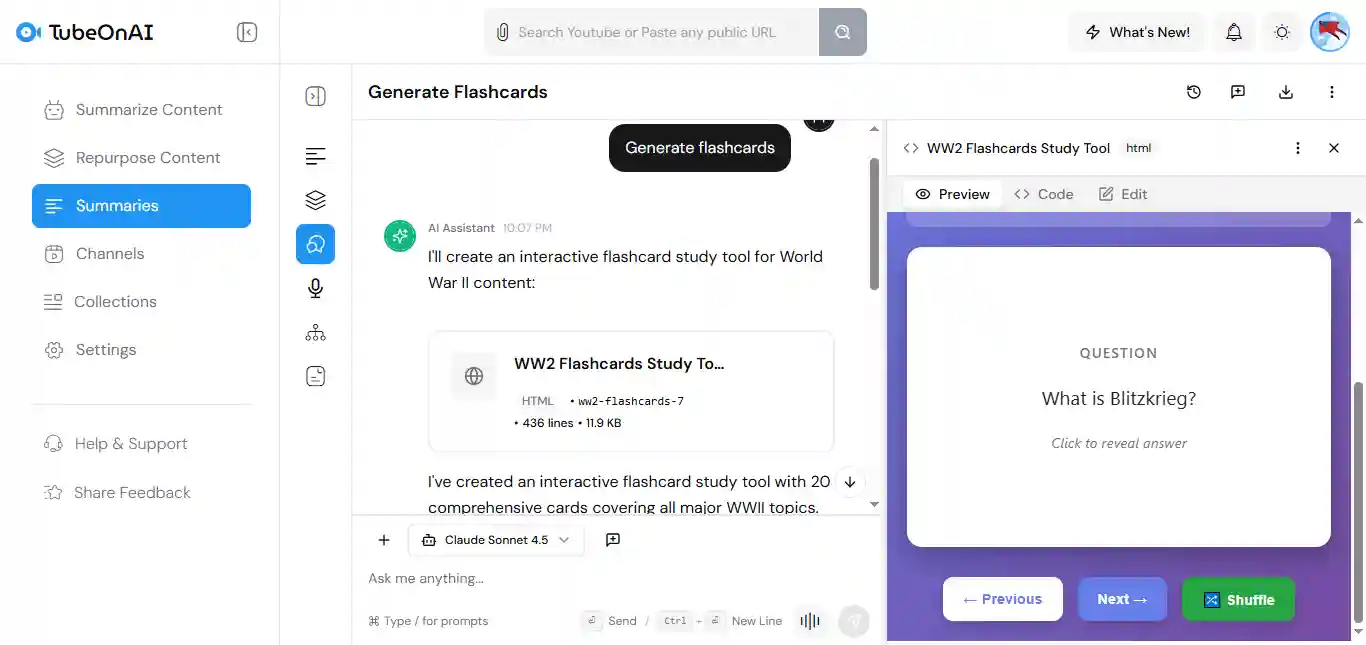
Use Ask Follow-Up Question feature and ask it for generating flashcards just like i did.
You can generate the entire Flashcard in your preferred language to learn in your language. Plus, download it on your device to access it anytime.
Turn your PPTX files into a new blog post, or Twitter thread to post in your social media, or you can use our Prompt Library to choose from 150+ preferred ways of repurposing.
If you’re dealing with a lengthy presentation file, ask a follow-up question to get answers from a specific part of your file. It’s that simple.
Convert your PowerPoint Presentations into Flashcards in just 2 minutes by uploading your PPT. Try free for today.
The AI tool converts lecture slides into effective flashcards, making studying quicker and easier.
Effortlessly convert presentations into flashcards for efficient information sharing and quick access.
Save time on lesson preparation by turning slides into flashcards for student engagement and review.
TubeOnAI can work with slides in many languages. It will help create flashcards in the same language as the slides, making it easy to study in different languages. But, if you want, yu can translate it into any language.
Yes! Once the flashcards are created, you can access them from any device. Study on your phone, tablet, or computer whenever you want.
No. Not from TubeOnAI directly. Once the flashcards are generated, you can download them. But you can add or remove information in the downloaded file to make it fit your study needs.
Yes. You can upload any PowerPoint slides, or paste the link of any publicly accessible link, and the AI will convert them into flashcards, even if the slides contain text, images, or diagrams.