TikTok Script Generator From Video

Turn any video into a ready-to-film TikTok script using AI. TubeOnAI analyzes the video and generates a hook, key talking points, and a clear CTA - ready to shoot in minutes.

Turn Any Videos Into Ready-to-Film Tiktok Scripts

TubeOnAI analyzes any TikTok, youtube or custom video, extracts the key message, and generates a complete script you can film right away. Get a strong hook, structured talking points, and a clear CTA – all adapted from the original video’s content.
turning video lecture into notes with AI

How To Generate a TikTok Script From YouTube Videos

  1. Step 1

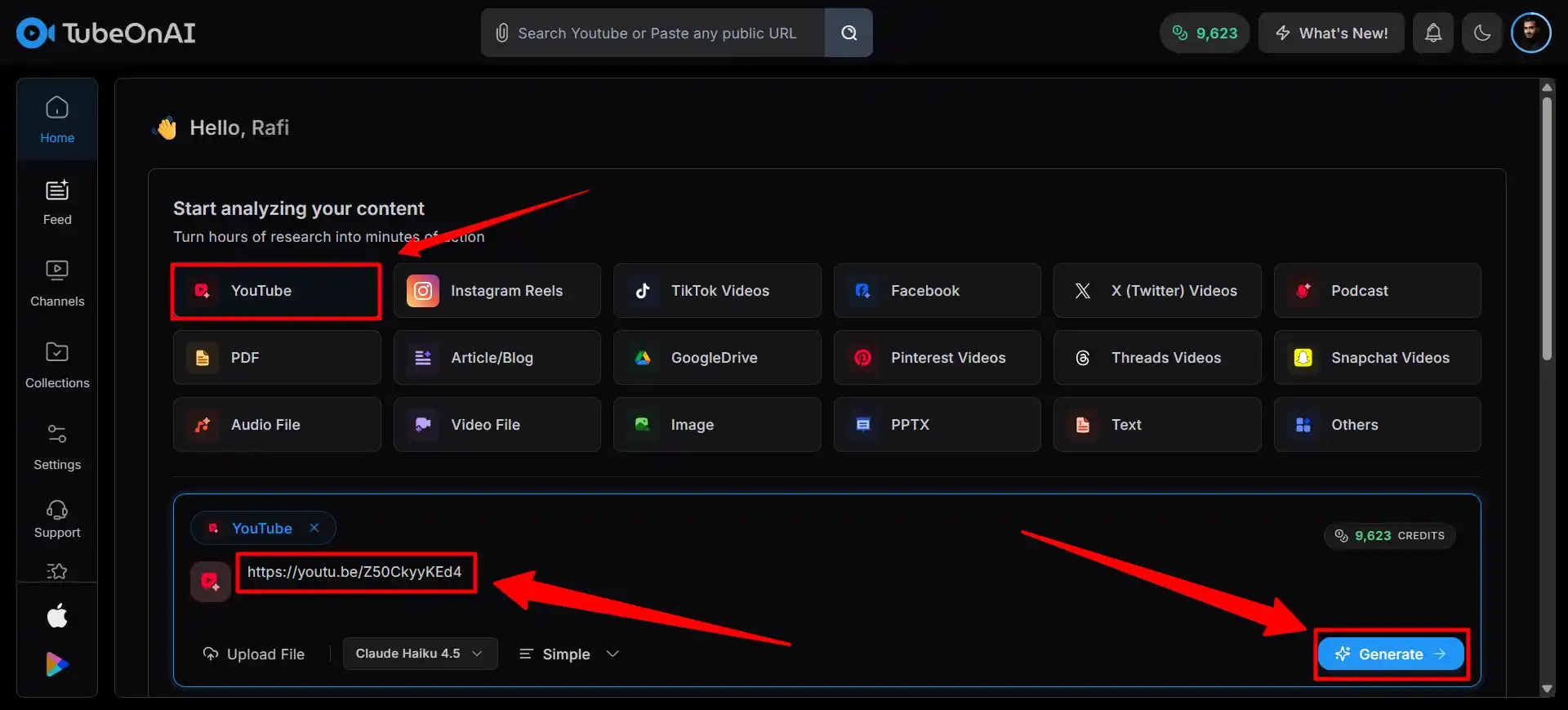
    Paste The Youtube URL

    Sign in to TubeOnAI, visit Youtube section and paste the video link here. Click on generate to summarize this video.

  2. Step 2

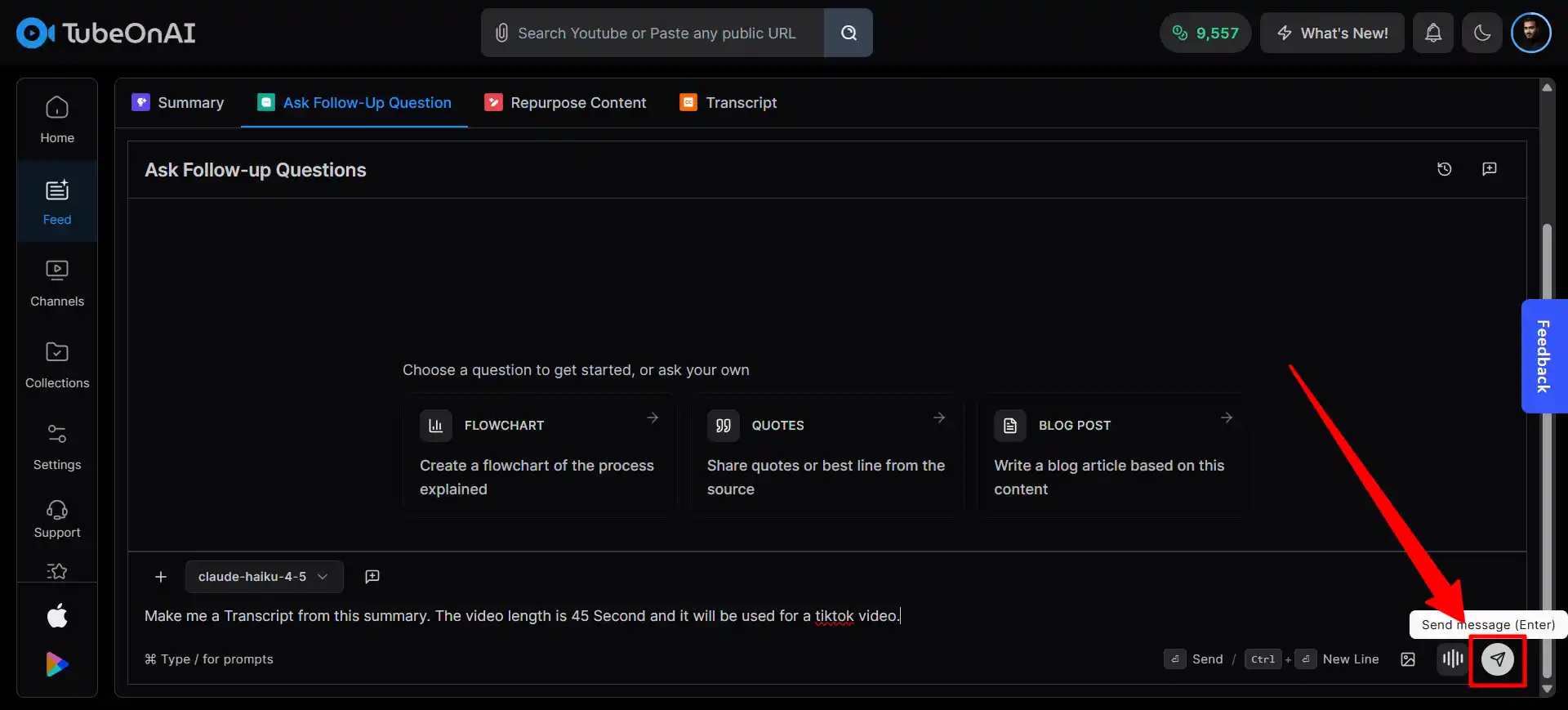
    Ask a Follow-Up Question

    After the summary is done, click on Ask Follow-Up and prompt TubeOnAI to generate a TikTok script - with your preferred hook style, length, and CTA.

  3. Step 3

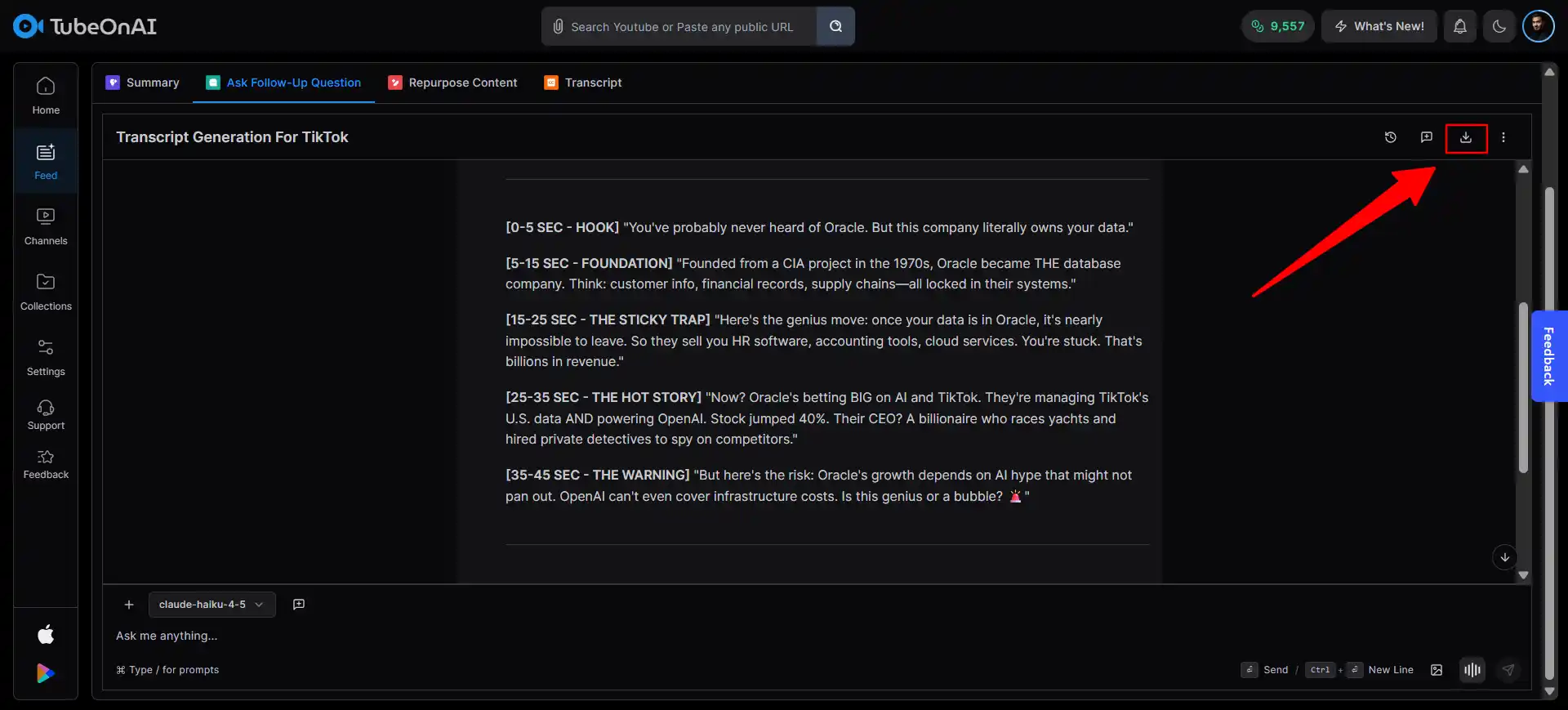
    Here's Your Script

    TubeOnAI instantly generates a ready-to-film script with a hook, talking points, and CTA. Copy it, download it, or tweak it before filming.

How To Generate a TikTok Script From Any Video File

  1. Step 1

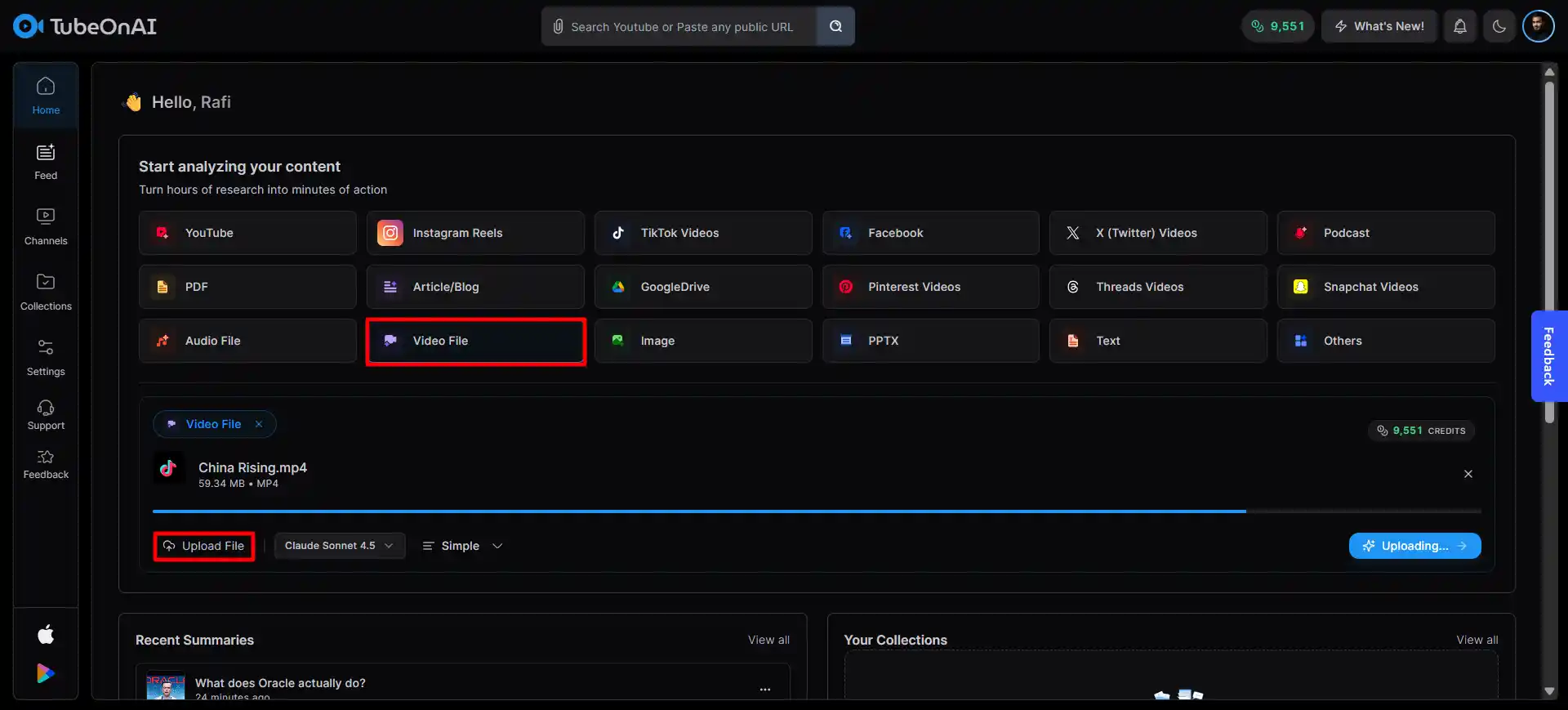
    Upload the Video

    Sign in to TubeOnAI, click on the video file section. Upload your video and hit summarize. The video file must be under 500MB.

  2. Step 2

    Ask a Follow-Up Question

    After the summary is done, click on Ask Follow-Up and prompt TubeOnAI to generate a TikTok script - with your preferred hook style, length, and CTA.

  3. Step 3

    Copy Your Script

    TubeOnAI instantly generates a polished script from the video. Copy it directly, download it, or save it to Collections for future use.

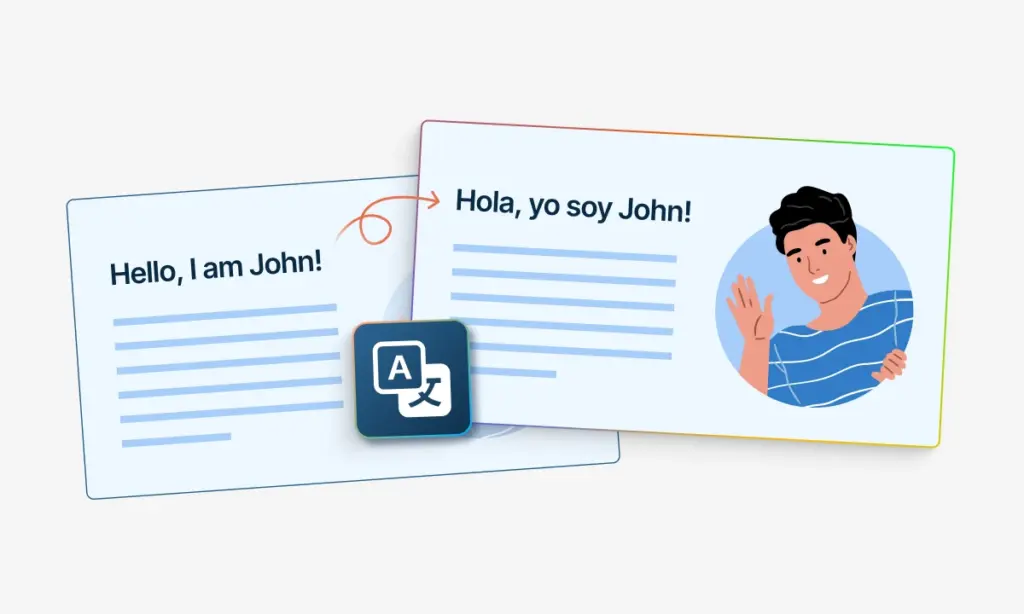
Generate TikTok Scripts in 40+ Languages

Paste a TikTok link into TubeOnAI. Get a script generated in 40+ languages – localized hooks, talking points, and CTAs tailored for each audience.

Translating PPT Files Key notes

Repurpose TikTok Scripts Into Post-Ready Assets

Convert one TikTok script into captions, blog intros, ad copy, and newsletter drafts. Save all versions in Collections for future reuse across campaigns.

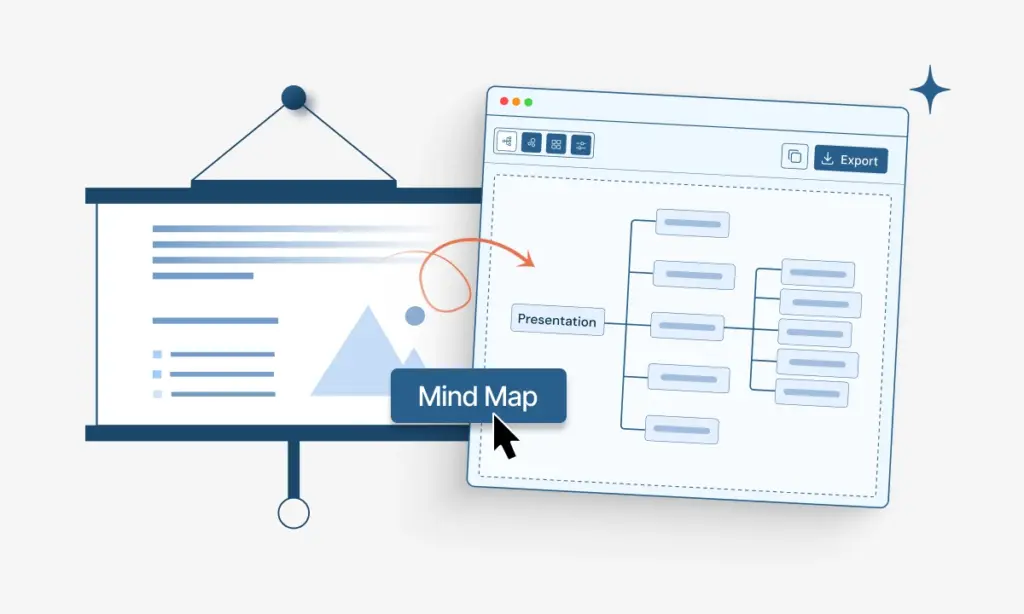
Generated Mindmap from Powerpoint slides

Send TikTok Scripts Straight Into Your Workflow

Push generated scripts and summaries into Notion, Slack, Airtable, or internal tools via webhooks. Keep your script review and publishing pipeline in one place.

Generated Mindmap from Powerpoint slides

Manually Written Tiktok Script vs AI Generated Script

Manually Written Script

  • You write in your own cadence — the pauses, the punchlines, and the phrasing only you would use
  • References inside jokes, local slang, or niche community language your audience recognises instantly
  • You instinctively know which pain points to lead with because you've lived the same problem as your viewer
  • Timing feels natural on camera — you wrote it, so your delivery is never fighting unfamiliar sentence structure
  • Builds a consistent creator identity over time — comments, replies, and future videos all share the same voice

AI Analyzed Script

  • You're posting at high volume — 2–3 scripts a day — and the bottleneck is blank-page paralysis, not ideas
  • Repurposing a long YouTube video or blog post into short hooks — you feed the source material, AI chops the structure
  • Testing 5 different hooks for the same video concept before you shoot — faster to generate variants than to rewrite manually
  • You know your audience well but struggle to structure the middle — use AI for the framework, rewrite the first and last lines yourself
  • Entering a new topic area outside your expertise — AI drafts the factual skeleton, you layer in personality and context

Who Can Benefit From a TikTok Script Generator?

  • Creators and Influencers

    Turn any TikTok video into a script you can reshoot, remix, or adapt for your own content. Do it inside TubeOnAI.

    • Get a ready-to-film script with hook and CTA
    • Pull hooks and quote lines for captions
    • Save scripts, summaries, and captions in Collections
    • Export SRT or VTT for CapCut edits
  • Social Media and Marketing Teams

    Generate scripts from competitor or trending TikToks. Review messaging fast, keep brand voice consistent, and build a script library in TubeOnAI.

    • Search scripts for keywords and hooks
    • Share scripts with your team for approval
    • Create caption variations from the same script
    • Organize competitors and campaigns in Collections
  • Agencies and Editors

    Generate client-ready scripts from reference TikToks. Speed up approvals, reduce back-and-forth, and keep all deliverables organized in TubeOnAI.

    • Match timestamps to cuts in your editor
    • Extract lines for subtitles and on screen text
    • Store client work in separate Collections
    • Export text, SRT, or VTT for Premiere and Final Cut

FAQs

What formats does TubeOnAI export for TikTok scripts?

Export your generated script as plain text for teleprompters and notes. You can also export SRT or VTT subtitle files for CapCut, Premiere Pro, and other editors.

How does TubeOnAI generate scripts from TikTok videos?

TubeOnAI first summarizes the TikTok video to understand its content, then uses AI to generate a structured script with a hook, talking points, and CTA — all based on the original video’s message.

I work with many creators. How do I keep TikTok scripts organized?

Save each generated script inside TubeOnAI Collections. Group by creator, niche, campaign, or client so you find work fast.

What do you get in TubeOnAI beyond a TikTok script?

You get a complete script plus a summary, caption-ready lines, and repurpose options. Save everything in Collections and reuse it later for new posts, ads, or briefs.

What TikTok video lengths work best for transcription in TubeOnAI?

Short clips process fast and work best for quick script generation. Longer videos still work, but take longer to process. For long clips, ask TubeOnAI for sections, key timestamps, and a condensed script.